
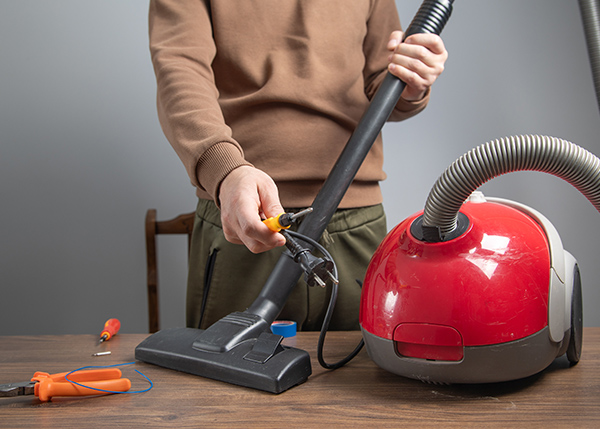
Start with safety and power
Before any troubleshooting, always unplug your vacuum or remove the battery, and let hot parts cool for at least 10 minutes to avoid burns or shocks.
Check these basics first:
- Make sure the outlet works by testing it with another small appliance.
- Inspect the power cord for cuts, frays, or pet damage; do not use the vacuum if the cord is damaged.
- Confirm the power switch is firmly in the “On” position and any safety latches or bin sensors are properly closed.
If your machine is cordless, charge it fully according to the manufacturer’s directions and try again, as weak batteries can mimic motor or electrical problems.
If the vacuum won’t turn on
When your vacuum is totally dead, focus on power flow from the wall to the motor.
- Test a different outlet and avoid power strips or long extension cords that may be faulty.
- Check your home’s breaker panel and reset any tripped breakers that supply that outlet.
- Examine the power cord and plug closely; if you see exposed wires, scorching, or bent prongs, stop using it and have it replaced professionally.
- On many vacuums, an overheated motor trips a thermal fuse; letting the vacuum cool fully and clearing blockages often restores operation.
If there is still no response after these checks, the motor, internal wiring, or switch may have failed and should be inspected by a qualified repair shop such as Sun City Vacuums & Sewing in Sun City, Arizona.
If suction is weak or airflow is poor
Low suction is usually caused by restricted airflow, full dirt containers, or worn parts.
- Empty the dustbin or replace the bag as soon as it reaches the “full” line; overfull containers drastically reduce suction.
- Clean or replace filters (pre-motor and exhaust/HEPA) on the schedule in your owner’s manual; clogged filters can make the motor overheat and cut out.
- Check the hose, wands, and nozzle for clogs using a flashlight; gently dislodge stuck debris with a long, blunt object.
- Inspect the brushroll and belt; hair or string wrapped around the brush and a stretched or broken belt will both reduce pickup, especially on carpet.
If suction does not improve after clearing blockages and servicing filters, the internal seals or motor may be worn and need professional attention.
If the brush isn’t spinning or the vacuum is noisy
A non-spinning brush or unusually loud operation often points to a belt or mechanical obstruction.
- Turn the vacuum over (unplugged) and remove hair, string, and pet fur wrapped around the brushroll, end caps, and axle.
- Check the belt for cracks, burning, or slack; replace it if it is loose or broken, following the manufacturer’s instructions.
- Listen for grinding, rattling, or high-pitched squeals that may indicate worn bearings or broken plastic parts in the brush head.
- For uprights and canisters with height adjustment, ensure the nozzle height matches your floor type so the brush can contact carpet fibers correctly.
If the vacuum still makes harsh noises or the brush stops shortly after starting, stop using it to avoid further damage and bring it to a repair specialist.
If there is overheating, burning smell, or repeated shut‑offs
Overheating and burning odors are urgent warning signs that airflow is blocked or components are failing.
- Immediately turn the vacuum off and unplug it, then allow it to cool completely before touching the motor area.
- Empty the bin or bag, clean all filters, and clear any hose or nozzle blockages that could be stressing the motor.
- Check the belt and brushroll; a stuck brush or slipping belt can create a burning rubber smell.
- Do not continue to run a vacuum that repeatedly overheats or smells like burnt plastic or electrical insulation, as this can indicate failing wiring or motor windings.
For persistent overheating, strange smells, or any sign of melted plastic, shut the machine down and schedule service with a local expert such as Sun City Vacuums & Sewing, a family-owned sales and repair shop serving the Sun City community.